
The Recipes sample project
A small collection of Korean lunchbox recipes, with records, photos and layouts already in place. Open it to try every part of Dosirak without typing in any data first.
5.5 MBProject format 2Dosirak 0.1.8 or later
Open the sample
- Download
Recipes.zipand unzip it. You get a folder namedRecipes.dosirak. - In Dosirak, choose File > Open.
- Select the
Recipes.dosirakfolder and open it.
On a Mac, Safari unzips a download by default. If it did, the Recipes.dosirakfolder is already in your Downloads folder.
The project is a copy on your computer. Change or delete anything in it. To start again, download the zip again.
What is in it
| Table | Records | What a record holds |
|---|---|---|
| Recipes | 14 | Name, English name, category, spice, photo, prep and cook times, servings, steps and a source link. |
| Ingredients | 44 | Name and the aisle to buy it in. |
| Recipe Ingredients | 169 | One line of a recipe: the ingredient, quantity, unit, a note and its order. |
| Cook Log | 20 | Each time a recipe was cooked: the date, who it was for, a rating from 1 to 5 and notes. |
How the tables link
- A recipe has many Recipe Ingredients lines. Each line links to one ingredient.
- A recipe has many Cook Log entries.
Fields that Dosirak calculates
- Total (min) on Recipes is a formula: prep time plus cook time.
- Times Cooked on Recipes counts its Cook Log entries.
- Rating on Recipes is the average rating of its Cook Log entries.
- Used In on Ingredients counts the recipe lines that use the ingredient.
- Aisle on Recipe Ingredients comes from the linked ingredient.
About the data
The recipes are real dishes, with the steps in our own words and a link to the source on each recipe. The 14 photos are generated for this sample. There are no real people and no brands in it.
The layouts
The project has 13 layouts. Recipes has a grid, a form, a split and a print layout. Ingredients, Recipe Ingredients and Cook Log each have a list, a form and a split.
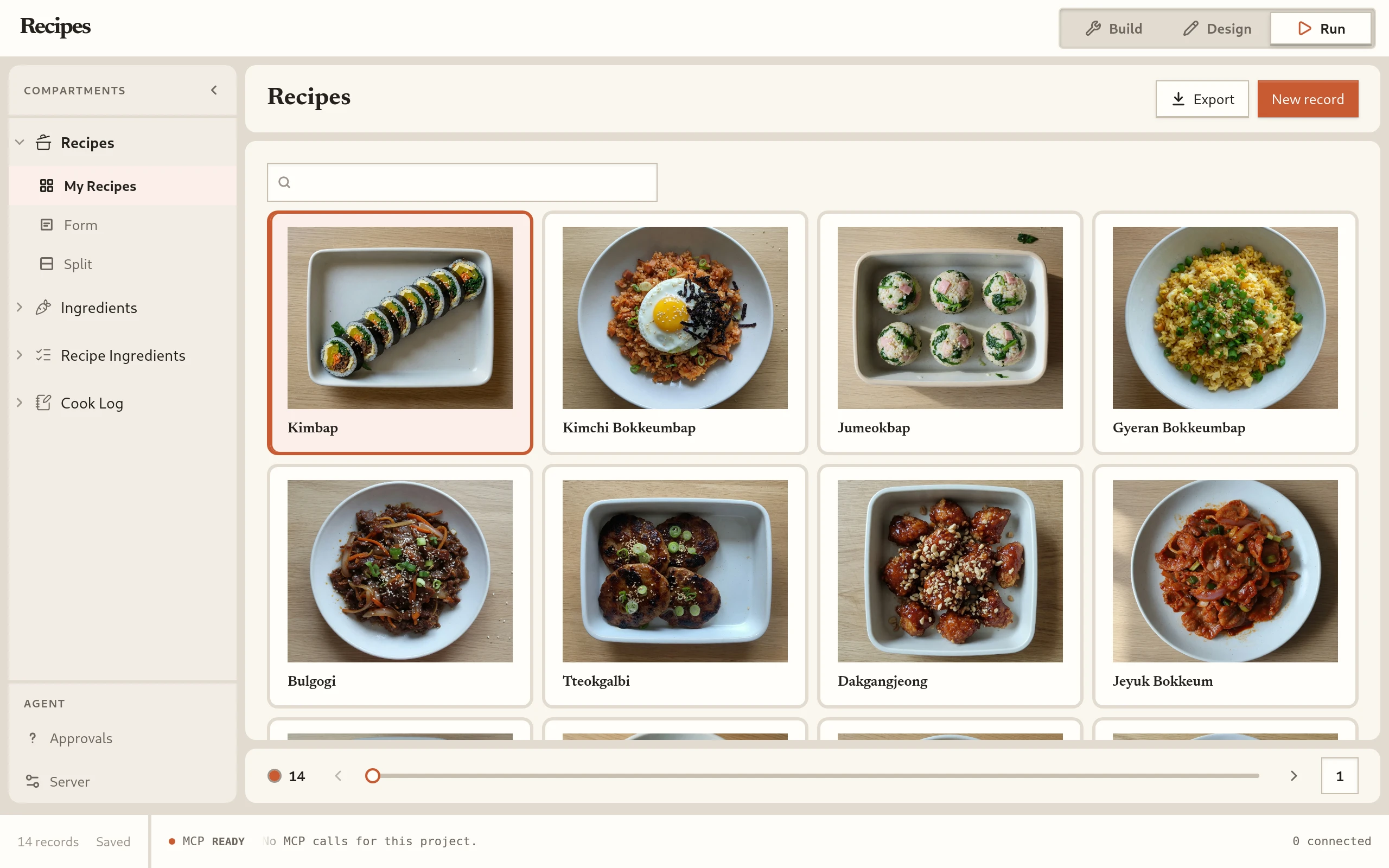
GridRecipes › My Recipes. Every recipe as a card with its photo, name and category. 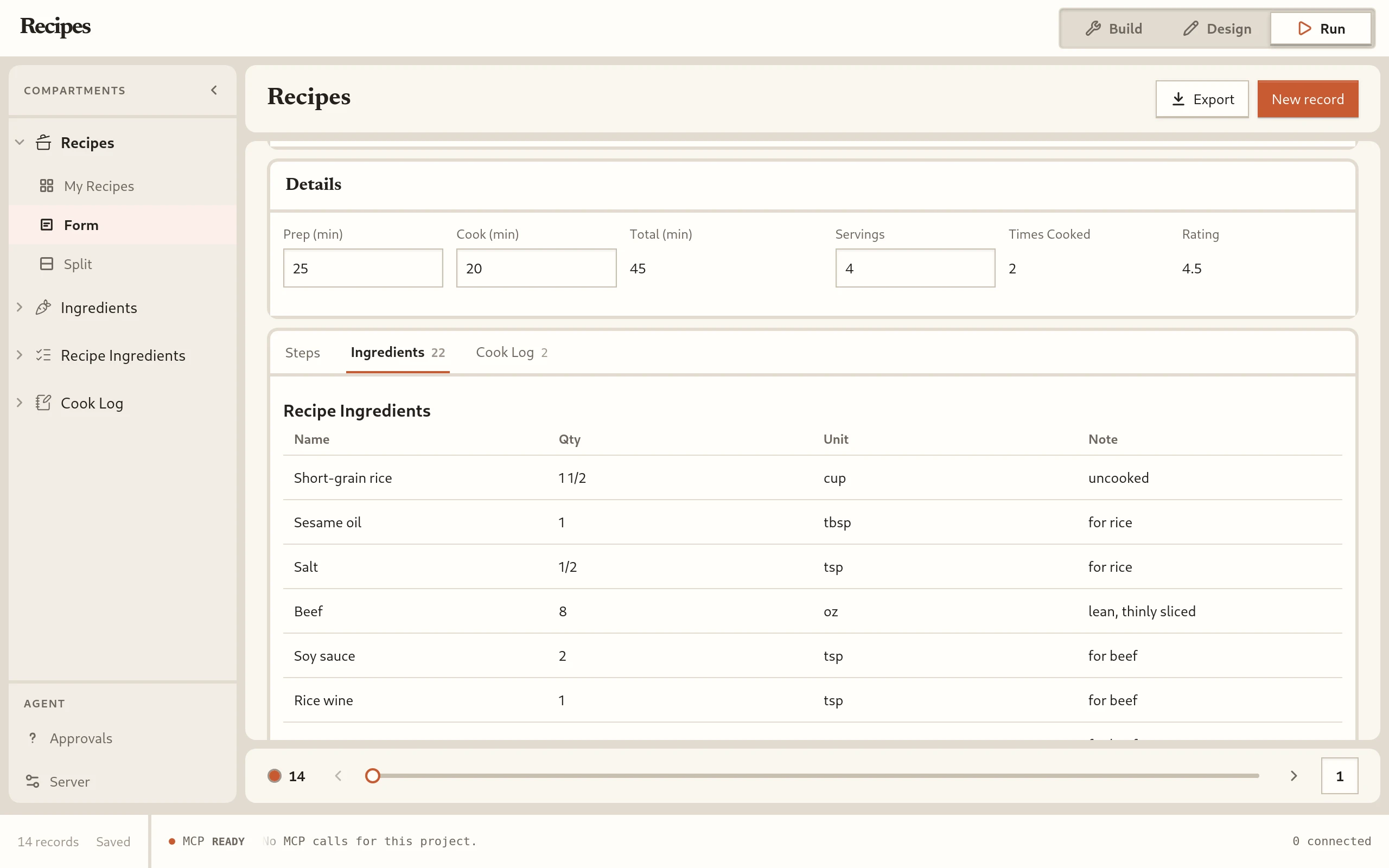
FormRecipes › Form. One recipe with its photo, times and steps, and portals onto its ingredients and its cook log. 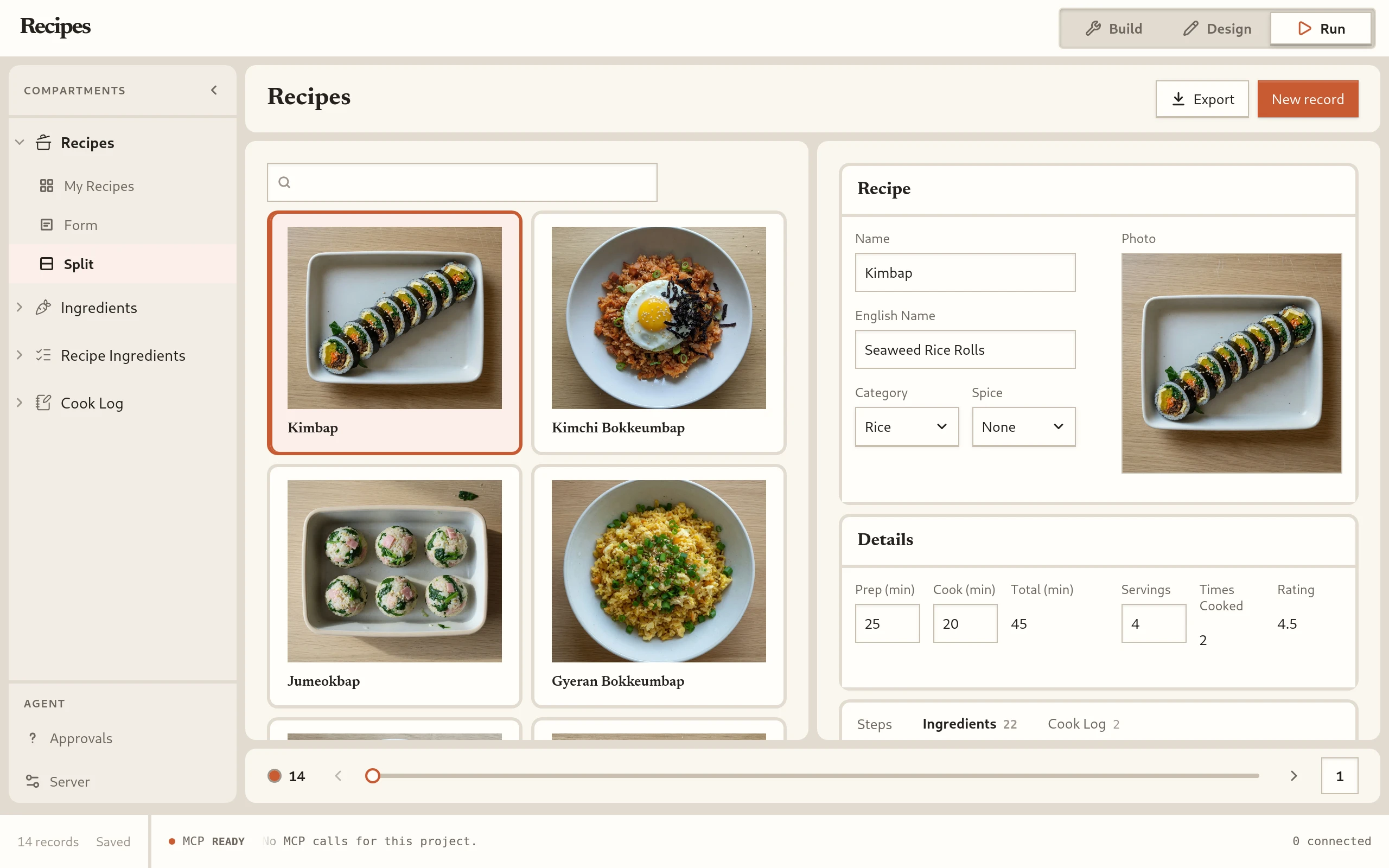
SplitRecipes › Split. The list of recipes beside the form of the selected one. 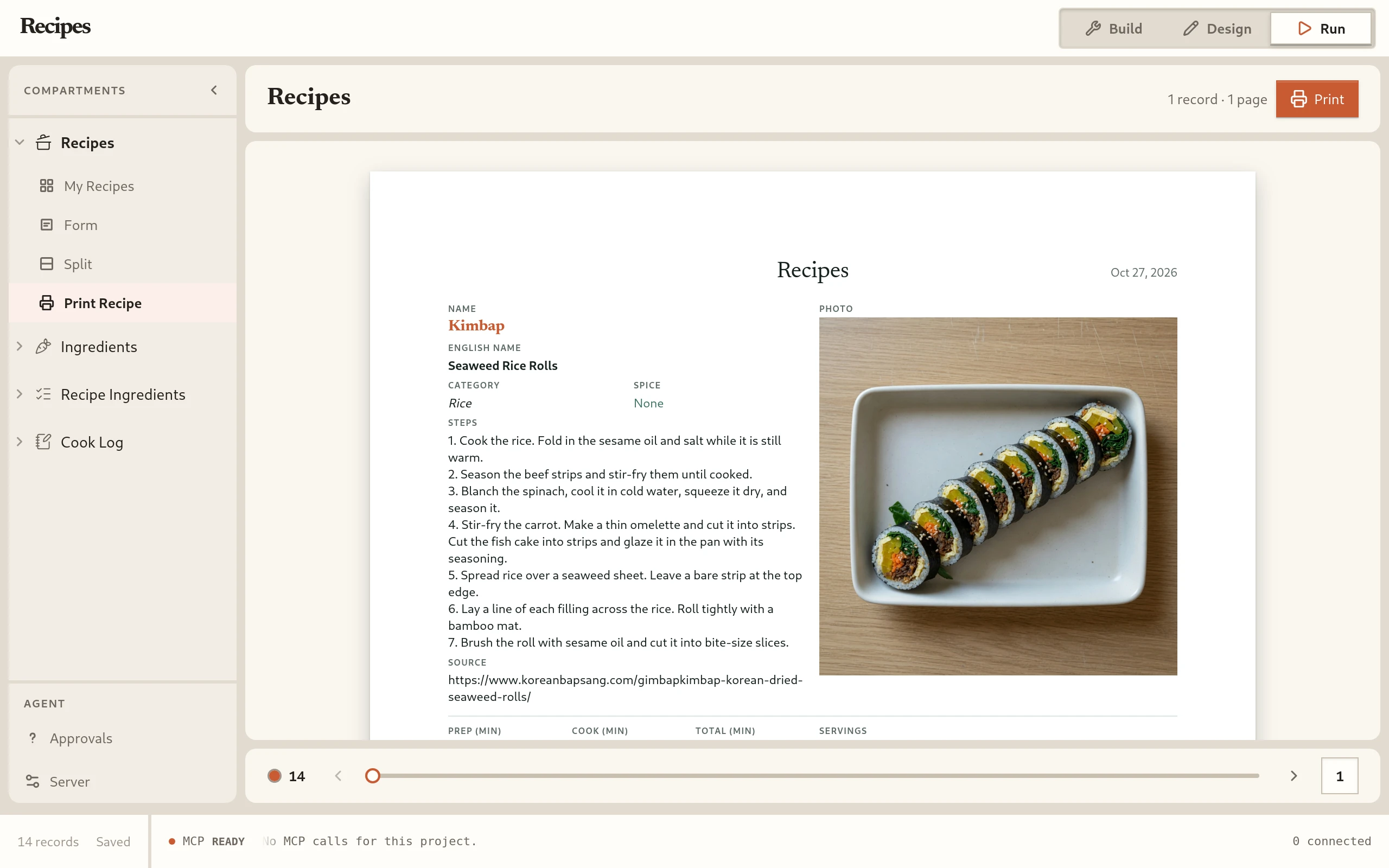
PrintRecipes › Print Recipe. A recipe card on one Letter page: photo, ingredients and steps. 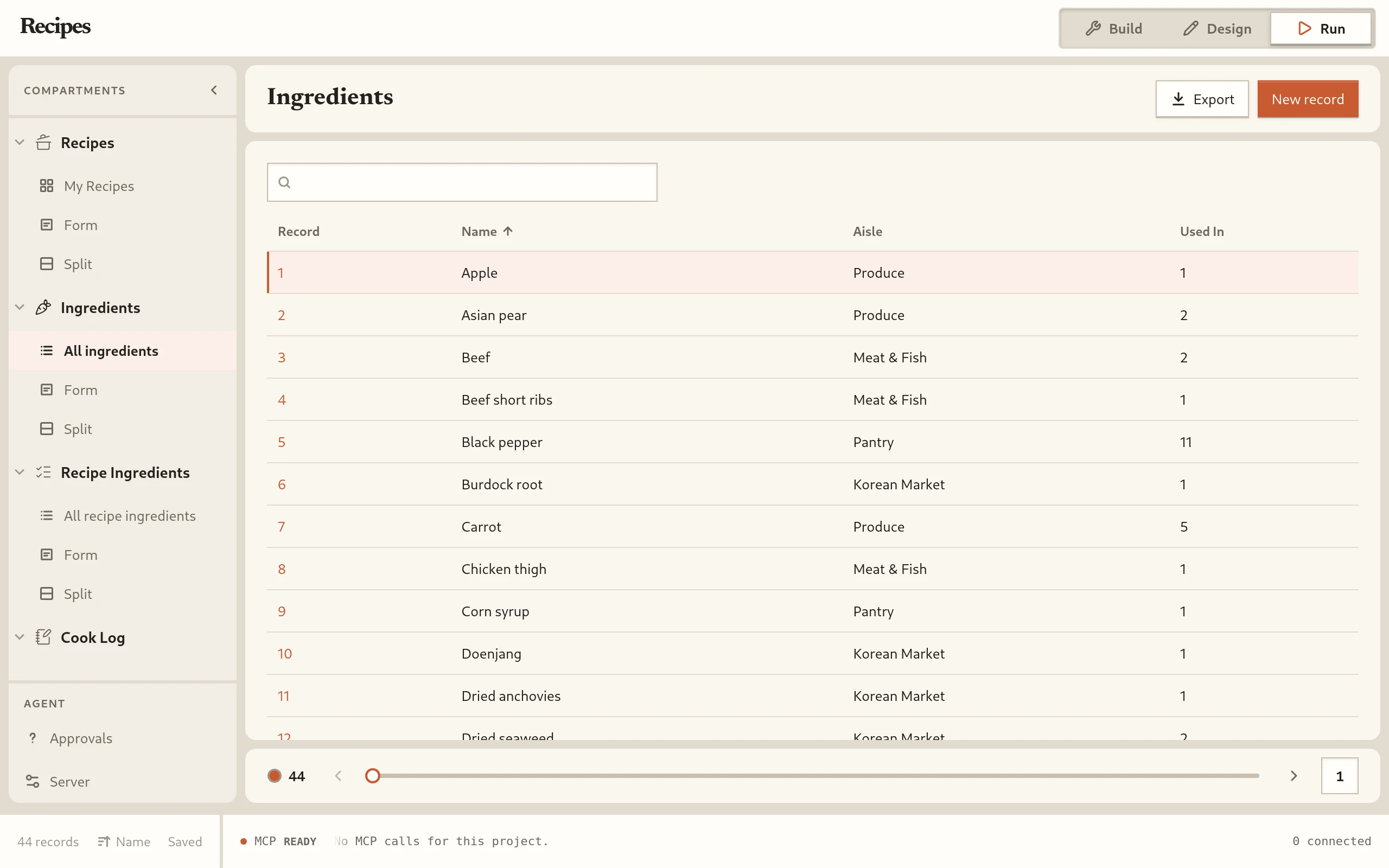
ListIngredients › All ingredients. Every ingredient with its aisle and the number of recipe lines that use it. 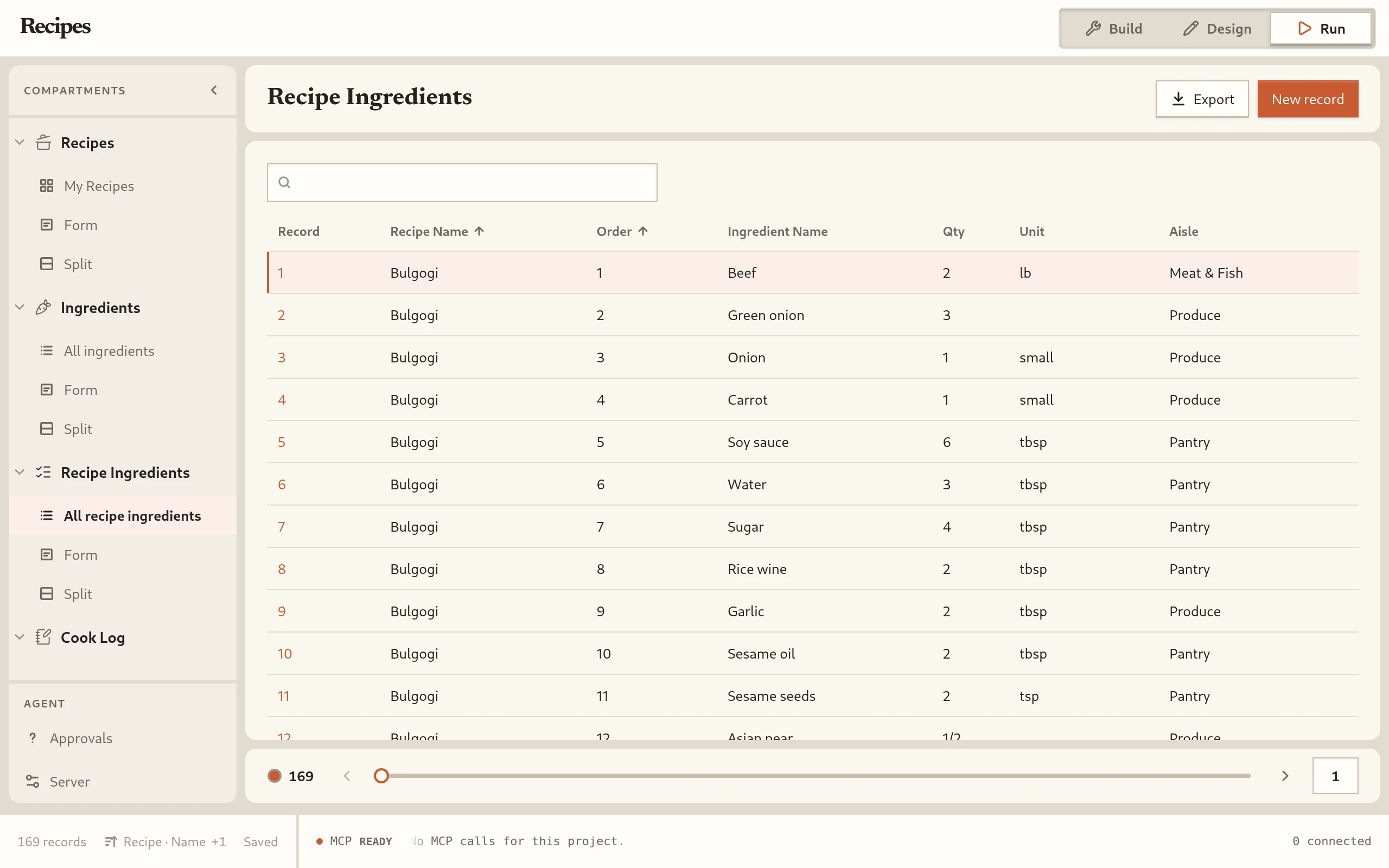
ListRecipe Ingredients › All recipe ingredients. All 169 recipe lines, with the aisle looked up from the ingredient. 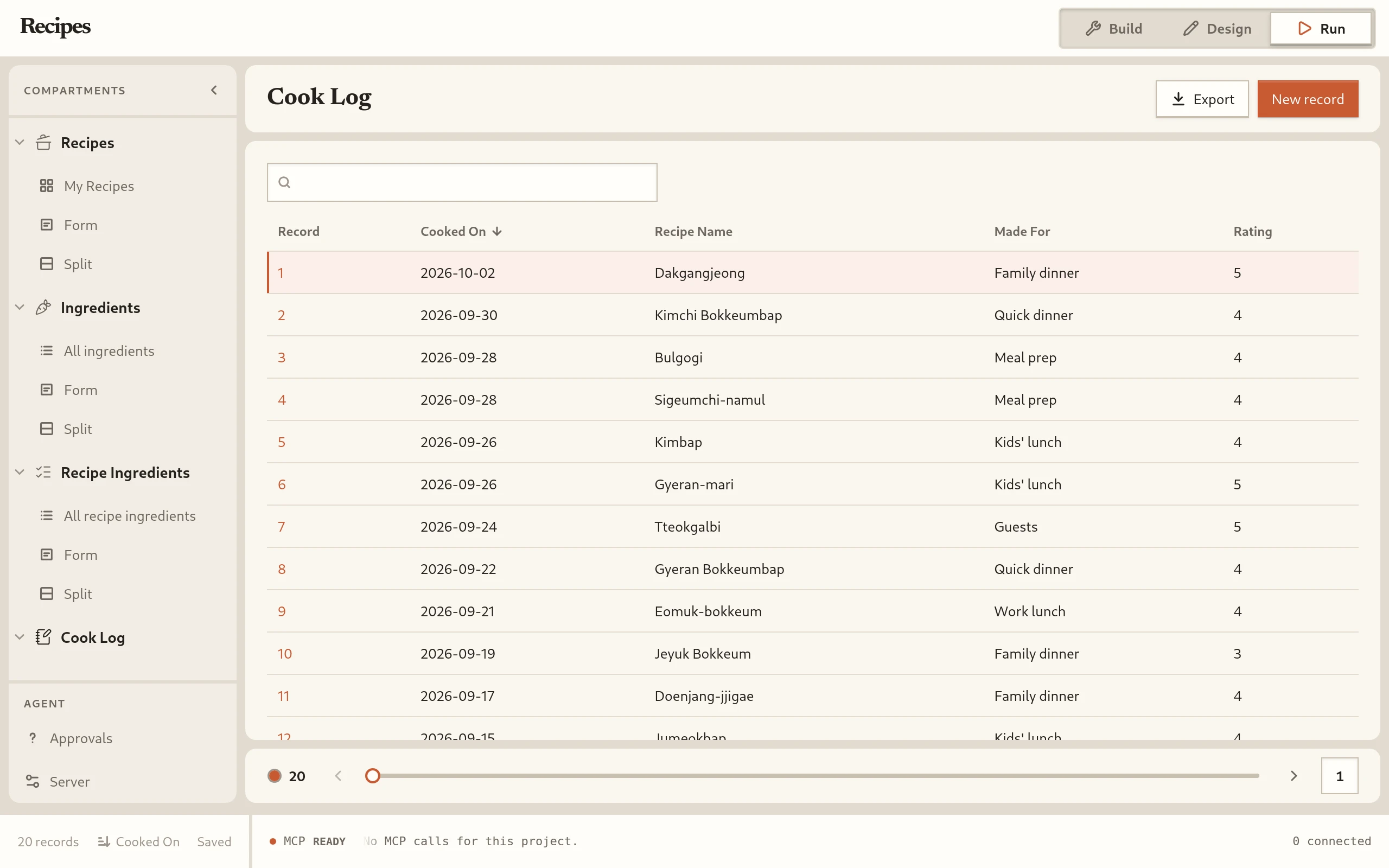
ListCook Log › All cook log. Each time a recipe was cooked, with the date and the rating.
Try it with an agent
The sample also works with an agent over MCP. Turn on MCP access for the project, connect your agent, and ask it about the recipes. For example, ask it to export the Cook Log. The agent writes a CSV file to the Dosirak folder in your Downloads folder and tells you the path.
How to connect an agent, and what it can do, is on the MCP database page.